

How to install eMondrian server on Windows
Modified 12 December 2021
This instruction describes how to install eMondrian server on Windows 10 with Java 1.8.0_311 and Apache Tomcat/9.0.56.
Java
To check what Java version you have, press Windows+R to open Run box. Type cmd and then press Ctrl+Shift+Enter to open an administrator Command Prompt.
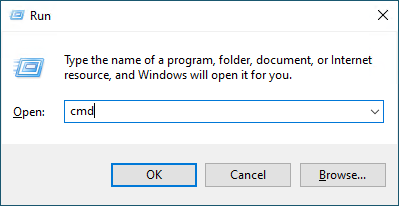
In Command Prompt type
java -version
and press Enter. A message with your Java version will appear.
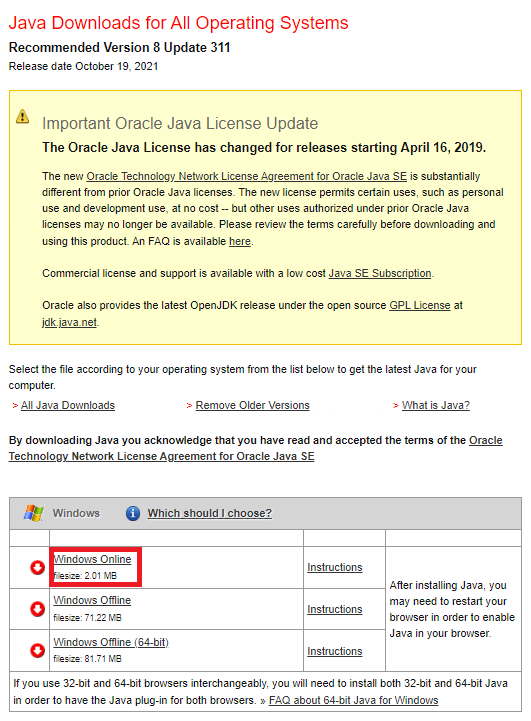
To install Java go to https://www.java.com/en/download/manual.jsp link and select Windows Online option. Use all default settings while installing it.
Installing Tomcat
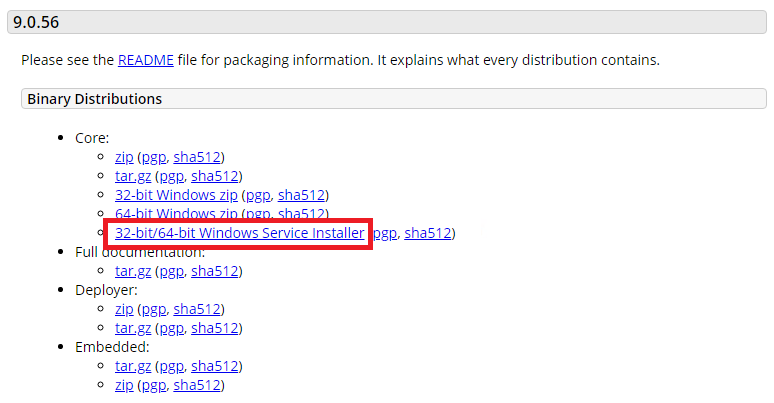
To install Tomcat go to https://tomcat.apache.org/download-90.cgi and select 32-bit/64-bit Windows Service Installer. Use all default settings while installing it.
Configuring Tomcat
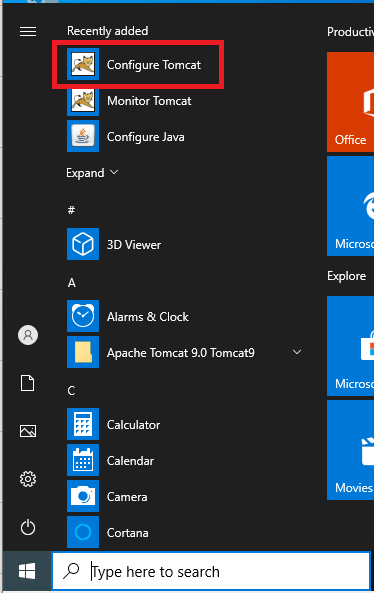
Open Configure Tomcat tool.
Another way to start the Tomcat configuration window is to run it from Command Prompt. Press Windows+R to open Run box. Copy
C:\Program Files (x86)\Apache Software Foundation\Tomcat 9.0\bin\Tomcat9w.exe
and then press Ctrl+Shift+Enter.
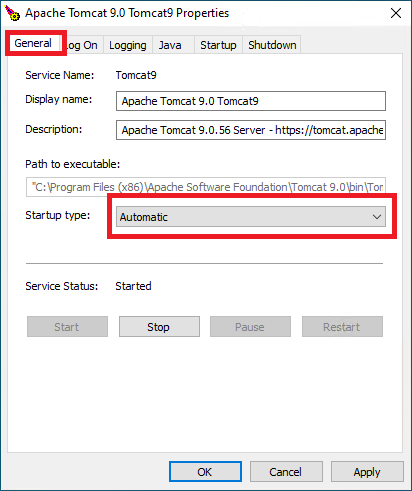
On the General tab select Startup type - Automatic.
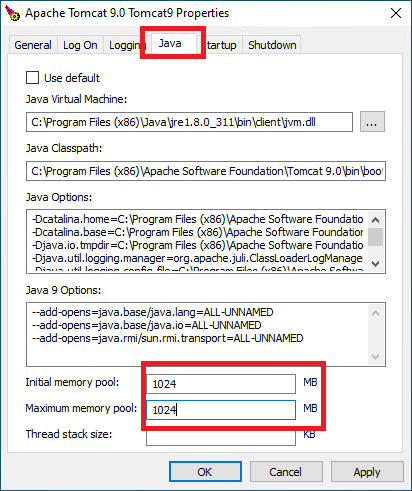
On the Java tab set Initial memory pool and Maximum memory pool to 1024 MB. Then press OK.
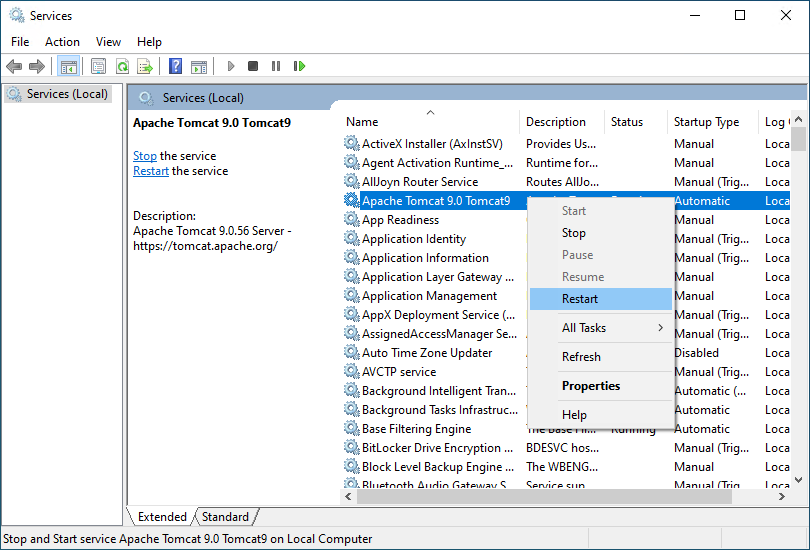
Open Services window (Windows+R, copy
services.msc
and press Enter). Right click Apache Tomcat 9.0 Tomcat9 service and select Restart menu item.
Installing eMondrian
You can download latest eMondrian release from
https://github.com/SergeiSemenkov/eMondrian/releases/latest/download/emondrian.war.
Copy downloaded emondrian.war file to Tomcat webapps folder. By default it is C:\Program Files (x86)\Apache Software Foundation\Tomcat 9.0\webapps.
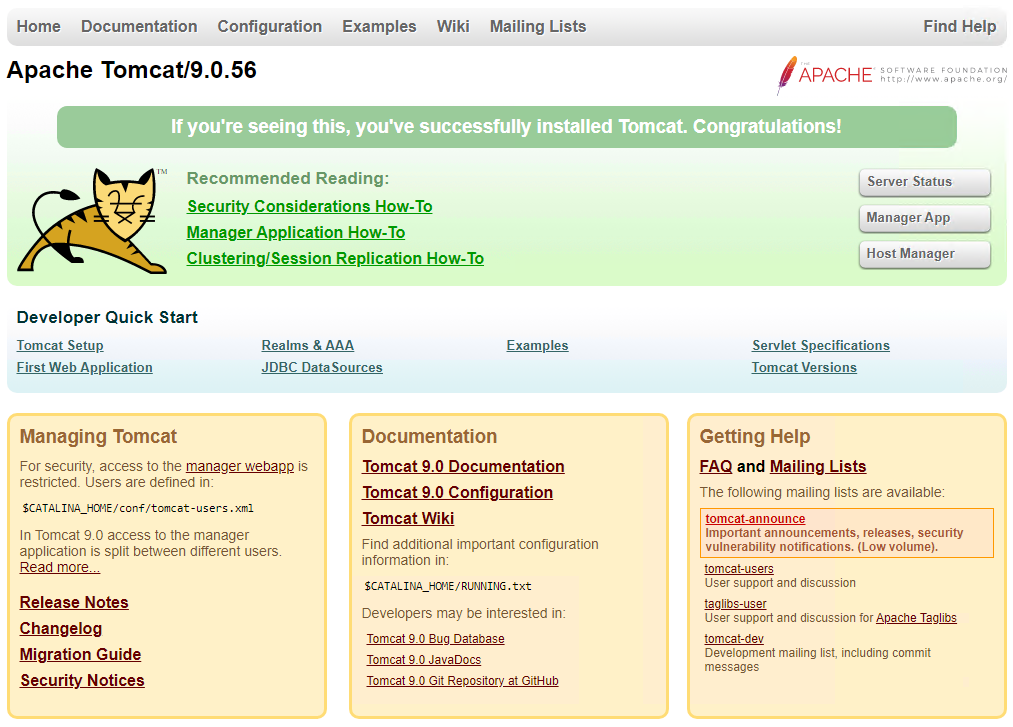
To check that Tomcat server is running try in browser on the server machine the following address.
http://localhost:8080/
You have to see this.
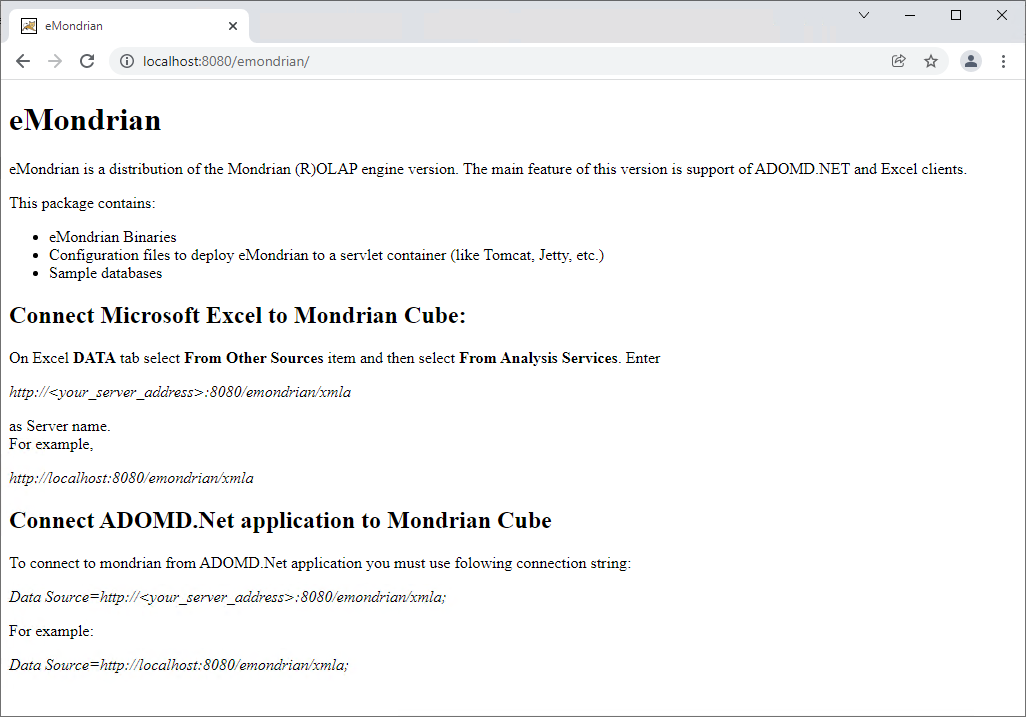
At
http://localhost:8080/emondrian
you have to see the eMondrian server main page.
Connecting to eMondrian server
If you will connect to eMondrian from the same machine you can use the following address.
http://localhost:8080/emondrian/xmla
To connect to eMondrian from another machine you need to open firewall port 8080. How to do that see here.
See here how to get your eMondrian XMLA service network address.